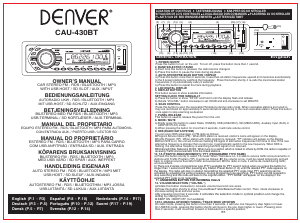
Brugsanvisning Denver CAU-430BT Bilradio

Har du brug for en brugsanvisning til din Denver CAU-430BT Bilradio? Nedenfor kan du se og downloade PDF-brugsanvisningen gratis på Dansk. Dette produkt har i øjeblikket 4 ofte stillede spørgsmål, 1 kommentar og har 2 stemmer med en gennemsnitlig produktvurdering på 50/100. Hvis dette ikke er den brugsanvisning, du ønsker, bedes du kontakte os.

Er dit produkt defekt, uden at brugsanvisningen har en løsning på problemet? Tag til en Repair Café, og få gratis reparation.

Brugsanvisning

Loading…

MP3
INPUT
AUX
MIC
SD
SCAN
AMS
BND MOD
RPT
MUTE
105
6
+10
T/P
HANDLEIDING EIGENAAR
AUTO STEREO FM - RDS / BLUETOOTH / MP3 MET
USB-HOST / SD-SLEUF / AUX-INGANG
BILSTEREO FM - RDS / BLUETOOTH / MP3
MED USB VÄRD / SD SPÅR / AUX. INEFFEKT
KÖPARENS BRUKSANVISNING
English (P.1 - P.3)
Deutsch (P.3 - P.5)
Dansk (P.5 - P.7)
P.1
GENERAL OPERATION
English
1. POWER ON/OFF
Press this button to turn on the unit. To turn off, press this button more than 1 second.
2. BAND SELECTOR / PAUSE
a) Each time this button is pressed, the radio band is changed.
b) Press this button to pause the track during playback.
3. AUTO-STORE/PRE-SCAN BUTTON / REPEAT
a) Press this button more than 2 seconds, it searches all station frequencies upward and memorize automatically
to the 6 preset stations by catching the frequency. Press this button shortly, it re-calls the memorized station
frequencies (1-6) automatically every 5 seconds.
b) Press this button to repeat the track during playback.
4. LCD DIGITAL DISPLAY
5. DISPLAY BUTTON
This button serves to show available information.
7. PANEL RELEASE
This button is used to release the panel from the unit.
9. RDS (RADIO DATA SYSTEM)
You can enjoy RDS advantage on FM radio as follows:
lProgram Service Name (PS) : When RDS station is received, station's name will appear on the display.
lTraffic Program (TP) : When station with traffic program is received, “TP” indicator will appear on the display.
lWhen RDS is on, the unit will continue checking the signal of alternative frequencies from time to time. If the new
alternative frequency is stronger than current one, it automatically switch to the new frequency. When RDS is
flashing, the alternative frequency is searching but RDS signal is not received.
lEnhanced Other Networks (EON): When tune to a station which is linked to others by EON, the radio is capable of
receiving Traffic Announcement from the linked stations.
10. TA (TRAFFIC ANNOUNCEMENT) / PTY (PROGRAMME TYPE NAME)
a) Press this button shortly to select TA mode. When TA mode is on, it is able to receive traffic announcements or
stations with Traffic Program (TP). It works as follows: lIf the volume is low, it will be raised temporarily and will
back to original volume level after traffic announcement. lIf the radio is mute, it will be de-muted during traffic
announcement.
b) There are 2 series of programme type (PTY) available for PTY search tuning when you press the button for
longer than 1 second and then pressing any Station Preset Button (1-6) until the desired PTY code appears on
the display. The radio will stop on station transmitting the selected PTY code. Next PTY searching can be
activated by repeating the same procedure. During programme type searching, PTY button can be pressed to
stop searching and the radio will back to the original station. “PTY NONE” will appear on the display if the
selected PTY code is not receivable.
11. ANSWERING BUTTON FOR INCOMING CALLS
12. VOLUME/SELECTION (“VOL/SEL”)
a)Rotate this button clockwise to increase volume level and vice versa.
b)Press this button shortly to show Volume/Bass/Treble/Balance/Fader control. Then, rotate clockwise to
increase setting level and vice versa.
c)By pressing more than 2 seconds, it activates the selection mode in cyclical position and change the
setting by rotating the knob.
l BEEP ON / BEEP OFF (not available)
LOCATION OF CONTROLS TASTENBELEGUNG KNAPPER OG KO NTROLLER
SITUACIÓN DE LO S CO NTROLES LOCALIZAÇÃO DOS CO MANDOS PLACERING AV KONTROLLER
PLAATS VAN DE BED IENINGSELEMENTEN LAITTEEN SÄÄ TIMET
Español (P.8 - P.10)
Português (P.10 - P.12)
Svenska (P.12 - P.14)
Nederlands (P.14 - P.17)
Suomi (P.17 - P.19)
CAR STEREO FM - RDS / BLUETOOTH / MP3
WITH USB HOST / SD SLOT / AUX. INPUT
OWNER'S MANUAL
AUTORADIO UKW - RDS / BLUETOOTH / MP3
MIT USB-HOST / SD-SCHLITZ / AUX-EINGANG
BEDIENUNGSANLEITUNG
BILSTEREO MED FM RDS / BLUETOOTH / MP3
USB-TERMINAL / SD KORTLÆSER / AUX-TERMINAL
BETJENINGSVEJLEDNING
EQUIPO ESTÉREO FM - RDS / BLUETOOTH / MP3 PARA AUTOMÓVIL
CON ENTRADA AUX. / PUERTO USB / LECTOR SD
MANUAL DEL PROPIETARIO
ESTÉREO FM - RDS / BLUETOOTH / MP3 PARA CARRO
COM USB ANFITRIÃO / ENTRADA SD / AUX. ENTRADA
MANUAL DO PROPRIETÁRIO
KÄYTTÖOHJE
AUTOSTEREO FM - RDS / BLUETOOTHIN / MP3 JOSSA
USB-LIITÄNTÄ / SD-LUKIJA / AUX-LIITÄNTÄ
CAU-430BT
MP3
INPUT
AUX
MIC
SD
SCAN
AMS
BND MOD
RPT
MUTE
105
6
+10
T/P
RESET
MP3
INPUT
AUX
MIC
SD
(16)
(3) (8)(2) (13) (4)(7) (1)
(17)(20) (18)
(19)
(12)(5) (6)
(15)
(9)(10)
(11)
(14)
(20)
6. SCAN CONTROL
Press this button to scan the receivable FM stations during radio mode. When receivable stations are tuned in,
they are monitored for approximately 5 seconds before advancing to the next receivable station. Press this button
once again to stop scanning as desired.
8. MODE / MUTE
a) Briefly press this button to select Radio (TUNER), USB (USB-DRIV), SD (MEM-CARD), Auxiliary Input (AUX) or
A2DP (BT-PLAY) mode.
b) When pressing the button for more than 2 seconds, it will mute volume control.
SETTING CLOCK TIME MANUALLY
a) Press the button to show “XX’XX” and hold it until the display flash and release.
b) Rotate “VOL/SEL” button clockwise to set HOUR and anti-clockwise to set MINUTE.
13/14. MANUAL UP/DOWN TUNING / TRACK SEEK UP/DOWN
On radio mode, pressing this button more than 2 seconds, it will tune one frequency step higher or lower.
On USB/SD mode, pressing this button shortly will move to the one track higher or lower. Pressing more
than 2 seconds, it will move fast forward or backward to a specific position.
Download brugsanvisningen på Dansk (PDF, 0.67 MB)
(Tag hensyn til miljøet, og udskriv kun denne brugsanvisning, hvis det er virkelig nødvendigt)

Loading…

Bedømmelse

Fortæl os, hvad du synes om Denver CAU-430BT Bilradio ved at lave en produktbedømmelse. Vil du dele dine oplevelser med dette produkt eller stille et spørgsmål? Skriv en kommentar nederst på siden.
Er du tilfreds med Denver CAU-430BT Bilradio?
Ja Ingen
50%
50%
2 stemmer

Deltag i samtalen om dette produkt

Her kan du dele, hvad du synes om Denver CAU-430BT Bilradio. Hvis du har et spørgsmål, skal du først læse brugsanvisningen omhyggeligt. Anmodning om en brugsanvisning kan ske ved at bruge vores kontaktformular.

Sonja prins 25-06-2019
Kan ikke låse kanaler

svar | Dette var nyttigt (0) (Oversat af Google)

Mere om denne brugsanvisning

Vi forstår, at det er rart at have en papirbrugsanvisning til din Denver CAU-430BT Bilradio. Du kan altid downloade brugsanvisningen fra vores hjemmeside og selv printe den. Hvis du gerne vil have en original brugsanvisning, anbefaler vi, at du kontakter Denver. De kan muligvis levere en original brugsanvisning. Leder du efter brugsanvisningen til din Denver CAU-430BT Bilradio på et andet sprog? Vælg dit foretrukne sprog på vores hjemmeside, og søg efter modelnummeret for at se, om vi har det tilgængeligt.

Specifikationer

Mærke Denver
Model CAU-430BT
Kategori Bilradioer
Filtype PDF
Filstørrelse 0.67 MB

Alle brugsanvisninger til Denver Bilradioer
Flere brugsanvisninger til Bilradioer

Ofte stillede spørgsmål om Denver CAU-430BT Bilradio

Vores support-team søger efter nyttige produktoplysninger og svar på ofte stillede spørgsmål. Hvis du finder urigtigheder i vores ofte stillede spørgsmål, må du meget gerne lade os det vide ved at bruge vores kontaktformular.

Hvad er DAB +? Verificeret

DAB + er efterfølgeren til FM-signalet og står for Digital Audio Broadcasting. Det er et digitalt signal, der giver mulighed for flere kanaler inden for samme båndbredde og giver mulighed for lettere skift mellem kanaler.

Dette var nyttigt (635) Læs mere

Hvad er forskellen mellem FM og AM? Verificeret

FM og AM er begge former for modulering, der bruges til at transmittere et signal. FM står for Frequency Modulation og AM står for Amplitude Modulation. AM er den ældste form for modulering. Den største forskel er, at FM-signalet er meget stærkere end AM-signalet.

Dette var nyttigt (407) Læs mere

Der sidder en cd fast i min bilradio, hvad skal jeg gøre? Verificeret

Nogle bilradioer har en funktion til at skubbe CD'er, der sidder fast. Sluk for bilen, og tryk på tænd / sluk-knappen og skub ud samtidigt i 10 sekunder. Hvis dette ikke virker, skal du starte bilen og prøve igen.

Dette var nyttigt (387) Læs mere

Hvilken størrelse bilradio passer til min bil? Verificeret

Der er to standard bilradiostørrelser, 1-DIN og 2-DIN. 1-DIN er den slanke standardversin, og 2-DIN er dobbelt så høj. 2-DIN bilradioer har ofte plads til en skærm til at vise navigationsoplysninger eller afspille film.

Dette var nyttigt (327) Læs mere
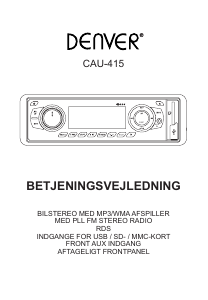
Brugsanvisning Denver CAU-430BT Bilradio

Relaterede produkter

Relaterede kategorier

×
Download