Brugsanvisning Karlsson KA6020GR Vækkeur

Har du brug for en brugsanvisning til din Karlsson KA6020GR Vækkeur? Nedenfor kan du se og downloade PDF-brugsanvisningen gratis på Dansk. Dette produkt har i øjeblikket 0 ofte stillede spørgsmål, 0 kommentarer og har 0 stemmer. Hvis dette ikke er den brugsanvisning, du ønsker, bedes du kontakte os.

Er dit produkt defekt, uden at brugsanvisningen har en løsning på problemet? Tag til en Repair Café, og få gratis reparation.

Brugsanvisning

Loading…

INSTRUCTION MANUAL ALARM CLOCK KA6020
Time Setting:
In normal mode, long press the “Time” key to enter the
Hour setting.
Short press the “+” or “-” buttons to increase or decrease
the digits.
Press the “Time” key again to enter the Minute setting.
Short press “+” or “-” to adjust the minutes.
Finally, press the “Time” key to exit and save the setting.
Note:
If there is no operation during setting, it will auto-save and
exit after 10 seconds.
Long pressing the “+” or “-” keys will change the digits
faster.
In normal mode, short pressing the “Time” key switches
between 12-hour and 24-hour time format.
Date Setting:
In normal mode, long press the “Date” key to enter the date
setting. The year will appear (e.g., 2023) and start ashing.
Use the “+” or “-” buttons to adjust the year.
Press the “Date” key again to move to the Month setting
(which will then ash). Adjust with “+” or “-”.
Press the “Date” key again to move to the Day setting.
Adjust as needed.
Press the “Date” key one nal time to exit and save the
date setting.
Note:
If there is no operation during setting, it will auto-save and
exit after 10 seconds.
Long pressing the “+” or “-” keys will change the digits
faster. There is no need to set the day of the week.
Alarm Setting
Check Alarm / Turn Alarm On:
In normal display mode, short press the “Alarm” key to
activate the alarm function and view the alarm time.
The alarm time will display for 5 seconds, then return to
normal mode.
Within those 5 seconds, you can press any button (except
the Alarm button) to return to the main time display
immediately.
Turn Alarm Off:
When the alarm is active, short press the “Alarm” key to
deactivate it. The alarm icon will disappear.
Set Alarm Time:
When the alarm is on, long press the “Alarm” key to enter
alarm time setting.
The hour will ash — use the “+” and “-” buttons to set
the hour.
Press the “Alarm” key again to move to the minute setting
and adjust in the same way.
Press the “Alarm” key again to save and exit.
Alarm Sound:
When the alarm is sounding, it will stop automatically after
3 minutes if no button is pressed.
You can also stop the sound immediately by pressing any
button.
Temperature Unit Switch
While the temperature is displayed, short press the “+”
button to switch between °C and °F.
The default unit is °C.
Short press the “-” button to select the display mode.
DST (Daylight Saving Time) Function
The time will automatically increase by 1 hour on the rst
Sunday of March, and decrease by 1 hour on the rst
Sunday of November each year. During this period, the
icon “Auto DST” will be shown on the display.
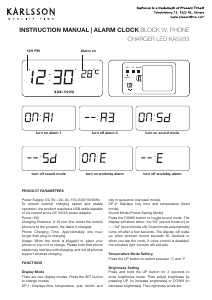
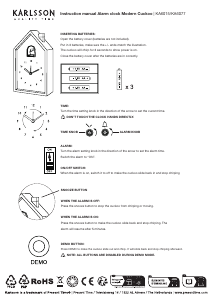
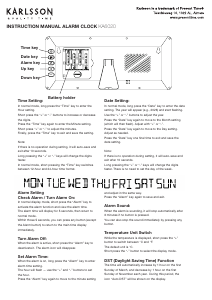
Time key
Date key
Alarm key
Up key
Down key
Battery holder
Download brugsanvisningen på Dansk (PDF, 0.81 MB)
(Tag hensyn til miljøet, og udskriv kun denne brugsanvisning, hvis det er virkelig nødvendigt)

Loading…

Bedømmelse

Fortæl os, hvad du synes om Karlsson KA6020GR Vækkeur ved at lave en produktbedømmelse. Vil du dele dine oplevelser med dette produkt eller stille et spørgsmål? Skriv en kommentar nederst på siden.
Er du tilfreds med Karlsson KA6020GR Vækkeur?
Ja Ingen
Vær den første til at bedømme dette produkt
0 stemmer

Deltag i samtalen om dette produkt

Her kan du dele, hvad du synes om Karlsson KA6020GR Vækkeur. Hvis du har et spørgsmål, skal du først læse brugsanvisningen omhyggeligt. Anmodning om en brugsanvisning kan ske ved at bruge vores kontaktformular.

Mere om denne brugsanvisning

Vi forstår, at det er rart at have en papirbrugsanvisning til din Karlsson KA6020GR Vækkeur. Du kan altid downloade brugsanvisningen fra vores hjemmeside og selv printe den. Hvis du gerne vil have en original brugsanvisning, anbefaler vi, at du kontakter Karlsson. De kan muligvis levere en original brugsanvisning. Leder du efter brugsanvisningen til din Karlsson KA6020GR Vækkeur på et andet sprog? Vælg dit foretrukne sprog på vores hjemmeside, og søg efter modelnummeret for at se, om vi har det tilgængeligt.

Specifikationer

Mærke Karlsson
Model KA6020GR
Kategori Vækkeure
Filtype PDF
Filstørrelse 0.81 MB

Alle brugsanvisninger til Karlsson Vækkeure
Flere brugsanvisninger til Vækkeure
Brugsanvisning Karlsson KA6020GR Vækkeur

Relaterede produkter

Relaterede kategorier

×
Download