
ASA-40
Pet-Immune Wireless Motion Detector
Trådløs kæledyrsimmun bevægelsesdetektor
Box Content
1 x PIR Pet-Immune Motion Detector
1 x Bracket
1 x User Manual
The ASA-40 is a high performance wireless pet-immune PIR motion
detector. This motion detector will not trigger the alarm when your
pets (under 25kg) move inside your home, even if your alarm system
is armed.
Before Using for the First Time
Open the case and remove the battery activation strip to activate the
batteries. Self-testing starts for 30 seconds.
Installation
Fix the bracket on the wall with screws and attach the detector to the
bracket. Adjust the bracket to change the detection distance and angle.
It is recommended to mount the detector 2m from the ground.
Avoid mounting the detector close to windows, air conditioner, heater,
refrigerator, oven, sunshine and places where the temperature changes fast
or where the air stream ows frequently.
If two detectors are installed in the same detection scope, adjust the
location to avoid interferences and false alarms.
The detector is more sensitive to cross movements than vertical movements.
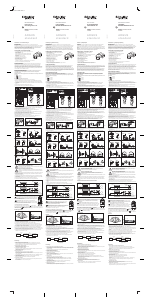
Top view
Side view
Detection scope
Mode Setting
Testing mode
Once the self-testing is complete, long press the test button. The sensor
switches to testing mode, and scans once every 10 seconds. After 3 min-
utes, the LED blinks twice, and the sensor switches to working mode.
Working mode / Stand-by mode
In working mode, if the sensor is triggered more than twice within 3
minutes, it will switch to standby mode to save power. If no movement
is detected within the next 3 minutes, the sensor goes back to working
mode.
Register the detector in the alarm system
Switch to Connection Mode on the control
panel. Press the test button of the sensor
twice. The control panel beeps once: the
motion detector is registered. If you hear
two beeps, the detector has already been
connected.
To check if the registration is complete, arm
the system and trigger the sensor again.
If the siren rings out, the registration is
successful.
Test
Button
Specications
Power Supply:
DC 3V (AA 1.5V LR6 x2)
Static current:
≤90uA
Transmitting current:
≤9.5mA
Transmission distance:
≤ 80 m (in open area)
Radio-frequency:
433MHz (±75KHz)
Housing material:
ABS plastic
Operating conditions:
Temperature: -10°C ~ +55°C
Relative Humidity: ≤80% (non-con-
densing)
Detector dimensions:
105 x 52 x 35 mm
Bracket dimensions:
52 x 30 x 26.5 mm
LED indications
Blinks continuously: Self-testing
Blinks once: An intruder is detected
Blinks twice: Self-testing is complete; entering working mode
Blinks three times every 3 seconds: Under-voltage indication: the
batteries must be replaced (the user will be informed by SMS when the
batteries are low if the detector is registered in the control panel).
PCB Layout
Jumpers for zone setup
Tamper switch
Infrared sensor
AA 1.5V LR6
Antenna
LED working indicator
Infrared sensor: Detects the infrared rays released by human body
motion. Do not touch the surface. Keep the surface clean.
Tamper switch: When the alarm system is armed, the tamper switch
will trigger the alarm if the case is opened.
Jumpers for Zone setup: The jumpers enable you to assign the
detector to a specic zone. Refer to the user manual of your alarm
system for more information on zone set up.
Standards
ALL RIGHTS RESERVED, COPYRIGHT DENVER ELECTRONICS A/S
Electric and electronic equipment and included batteries contains
materials, components and substances that can be hazardous to your
health and the environment, if the waste material (discarded electric
and electronic equipment and batteries) is not handled correctly.
Electric and electronic equipment and batteries is marked with the
crossed out trash can symbol, seen below. This symbol signies that
electric and electronic equipment and batteries should not be disposed
of with other household waste, but should be disposed of separately.
As the end user it is important that you submit your used batteries to
the appropriate and designated facility. In this manner you make sure
that the batteries are recycled in accordance with legislature and will
not harm the environment.
denver-electronics.com
All cities have established collection points, where electric and
electronic equipment and batteries can either be submitted free of
charge at recycling stations and other collection sites, or be collected
from the households. Additional information is available at the technical
department of your city.
Importer:
DENVER ELECTRONICS A/S
Stavneagervej 22
DK-8250 Egaa
Denmark
www.facebook.com/denverelectronics
Hereby, Inter Sales A/S, declares that this product (HAS-120) is in
compliance with the essential requirements and other relevant
provisions of Directive 1999/5/EC. A copy of the Declaration of
conformity may be obtained at:
Inter Sales A/S
Stavneagervej 22,
DK-8250 Egaa
Denmark
ENG




Deltag i samtalen om dette produkt
Her kan du dele, hvad du synes om Denver ASA-40 Bevægelsesdetektor. Hvis du har et spørgsmål, skal du først læse brugsanvisningen omhyggeligt. Anmodning om en brugsanvisning kan ske ved at bruge vores kontaktformular.