Brugsanvisning Auriol IAN 61430 Vejrstation

Har du brug for en brugsanvisning til din Auriol IAN 61430 Vejrstation? Nedenfor kan du se og downloade PDF-brugsanvisningen gratis på Dansk. Dette produkt har i øjeblikket 6 ofte stillede spørgsmål, 0 kommentarer og har 0 stemmer. Hvis dette ikke er den brugsanvisning, du ønsker, bedes du kontakte os.

Er dit produkt defekt, uden at brugsanvisningen har en løsning på problemet? Tag til en Repair Café, og få gratis reparation.

Brugsanvisning

Loading…


-
4
-
Selecting your location
Press CITY- the city display will blink and the
latitude and longitude will be displayed. Press "+"
or "-" to select your location. Press CITY to
confirm your selection. If the abbreviation for you
city does not appear, your location can be set
manually (See "Manually setting your location").
After a short calculation period the weather station
will show the sunrise and sunset times, the moon
phase and neap tide (TIDE LO), medium water
level (TIDE MID) or spring tide (TIDE HI).
Manually setting your location
Press and hold CITY. The cities display shows
"-- -- --". Press "+" or "-" to select the first letters
of your location. Press CITY to confirm your
selection. Set letters 2 and 3 of your location in
the same way.
On the display GMT appears and the time zone
indicator flashes. Set the difference of your time
zone to GMT (Greenwich Mean Time) by pressing
UP and DOWN (For the UK set 0:00).
Press CITY to confirm your selection. Now set the
longitude and latitude of your location in the same
way.
A table with the longitudes and latitudes for some
cities can be found at the end of these operating
instructions.
After a short calculation time the weather station
displays the times for sunrise and sunset and the
moon phase as well as neap tide (TIDE LO),
mean water level (TIDE MID) or spring tide (TIDE
HI).
Outdoor sensor channel selection
Press "CH" on the back side of the weather
station to select channel 1, 2 or 3. If the symbol
appears, the temperature and humidity of the
3 outdoor sensors will alternate on the display.
Press and hold "CH" to restart the outdoor
temperature and humidity reception process.
Additional information for the
outside sensor
Please position your sensor in a covered location
and make sure that the sensor does not get wet
and is not exposed to direct sunlight. To
guarantee optimal radio transmission, position the
station and sensor so that as few obstacles as
possible (walls, metallic components) interfere
with reception.
Sources of electrical interference can also be
detrimental to reception.
Temperature and frost alarms
Setting the temperature alarm
Press "CH" to select the outdoor sensor. Press
and hold "-" to set the alarm temperature. The
outdoor temperature will blink.
Press "+" or "-" to set the maximum value for the
temperature alarm. Confirm your setting by
pressing MODE. Press "+" or "-" to set the
minimum value for the temperature alarm.
Confirm your setting by pressing MODE.
Activating/deactivating the temperature and
frost alarms
The temperature and frost alarms can be
activated or deactivated by repeatedly
pressing "-".
If the frost alarm is activated the symbol will
appear next to the outdoor temperature. The
alarm will sound at the set temperature.
If the temperature alarm is activated the
symbol will appear next to the outdoor
temperature. The alarm will sound at the set
temperature.
If both frost and temperature alarms are activated
then both symbols will appear.

-
5
-
Disposal
Disposal of the electronic appliance
This electronic appliance may not be
disposed of with normal household waste.
Dispose of the unit at an approved disposal
facility or at your local recycling centre.
Please observe the current rules and
regulations when disposing of the
appliance. Contact the disposal system if in
doubt.
Disposal of the batteries
Please dispose of your batteries properly in
containers especially set up at retailers.
Batteries do not be
long in household waste.
Dispose of the batteries at an approved
disposal facility or at your local recycling
centre. Contact the disposal system if in
doubt.
Technical data
Weather station
Operating temperature : 0°C – +55°C
Dimensions: 12,6 x 12,5 x 5,6 cm
Display of the weather station: 8,0 x 8,0 cm
Weight: 299g
Batteries: 3 x 1,5V AA
Sensor
Operating temperature: -20°C – +65°C
Dimensions: 4,9 x 9,6 x 3,3 cm
Weight: 75g
Batteries: 2 x 1,5V AA
Declaration of conformity
If used as intended this product conforms to the
basic standards of § 3 and the other relevant
provisions of the FTEG (Section 3 of the R&TTE
directive).
The declaration of conformity can be requested
here: conformity@digi-tech-gmbh.com
Warranty
We provide a 3-year warranty for this item. The
warranty period starts from the date of sale
(receipt, proof of purchase). Within this period we
rectify all faults which are attributable to material
and manufacturing defects at no cost. For
damage which is caused by improper treatment,
e.g. dropping, knocking, or water damage, there is
no warranty claim.
Order service
You can add up to 3 outside sensors to your
temperature station. One sensor is included in the
purchase.
Additional outside sensors can be ordered by fax
+49(0)6198-5770-99 or online at www.inter-
quartz.de.
The price for one sensor is EUR 5.00 and for 2
sensors EUR 10.00 including operating
instructions and packaging, excluding VAT and
despatch.
Download brugsanvisningen på Dansk (PDF, 0.57 MB)
(Tag hensyn til miljøet, og udskriv kun denne brugsanvisning, hvis det er virkelig nødvendigt)

Loading…

Bedømmelse

Fortæl os, hvad du synes om Auriol IAN 61430 Vejrstation ved at lave en produktbedømmelse. Vil du dele dine oplevelser med dette produkt eller stille et spørgsmål? Skriv en kommentar nederst på siden.
Er du tilfreds med Auriol IAN 61430 Vejrstation?
Ja Ingen
Vær den første til at bedømme dette produkt
0 stemmer

Deltag i samtalen om dette produkt

Her kan du dele, hvad du synes om Auriol IAN 61430 Vejrstation. Hvis du har et spørgsmål, skal du først læse brugsanvisningen omhyggeligt. Anmodning om en brugsanvisning kan ske ved at bruge vores kontaktformular.

Mere om denne brugsanvisning

Vi forstår, at det er rart at have en papirbrugsanvisning til din Auriol IAN 61430 Vejrstation. Du kan altid downloade brugsanvisningen fra vores hjemmeside og selv printe den. Hvis du gerne vil have en original brugsanvisning, anbefaler vi, at du kontakter Auriol. De kan muligvis levere en original brugsanvisning. Leder du efter brugsanvisningen til din Auriol IAN 61430 Vejrstation på et andet sprog? Vælg dit foretrukne sprog på vores hjemmeside, og søg efter modelnummeret for at se, om vi har det tilgængeligt.

Specifikationer

Mærke Auriol
Model IAN 61430
Kategori Vejrstationer
Filtype PDF
Filstørrelse 0.57 MB

Alle brugsanvisninger til Auriol Vejrstationer
Flere brugsanvisninger til Vejrstationer

Ofte stillede spørgsmål om Auriol IAN 61430 Vejrstation

Vores support-team søger efter nyttige produktoplysninger og svar på ofte stillede spørgsmål. Hvis du finder urigtigheder i vores ofte stillede spørgsmål, må du meget gerne lade os det vide ved at bruge vores kontaktformular.

Min vejrstation forudsiger at det skulle regne, men dette skete ikke. Hvordan kan det være? Verificeret

Vejrudsigten som vejrstationen forudsiger, er baseret på luftryk. Generelt betyder lavtryk dårligt vejr og højtryk betyder godt vejr. Det er muligt at vejrmønsteret udvikler sig anderledes end hvad lufttrykket forudsiger.

Dette var nyttigt (1469) Læs mere

Hvad er modelnummeret på mit Auriol-produkt? Verificeret

Selvom nogle Auriol-produkter har et alternativt modelnummer, har de alle et IAN-nummer, som produktet kan identificeres med.

Dette var nyttigt (700) Læs mere

Hvad er den bedste placering for en vejrstation og dens sensorer? Verificeret

Vejrstationen i sig selv er placeret inde og skal holdes væk fra varmekilder som køkken, vinduer eller elektriske apparater. En separat udetemperaturføler skal placeres i skygge og mindst 1,25 m over jorden. En regnsensor skal placeres i et åbent område, hvor den altid kan samle regn. En vindsensor skal også placeres i et åbent område med eventuelle forhindringer, der påvirker vinden.

Dette var nyttigt (395) Læs mere

Min vejrstation har en regnmåler, kan den også måle mængden af ​​sne? Verificeret

Nogle regnmålere er udstyret med et varmeelement, der får sneen til at smelte og gør det muligt at måle det. Uden varmeelement tilstoppes regnmåleren, og der kan ikke foretages nogen måling.

Dette var nyttigt (282) Læs mere

Kan jeg efterlade et udskifteligt batteri i en enhed i lang tid? Verificeret

Udskiftelige batterier kan forblive i en enhed i lang tid, hvis enheden er i brug. Når en enhed opbevares i lang tid, anbefales det at fjerne batterierne for at forhindre oxidation.

Dette var nyttigt (282) Læs mere

Et batteri i min enhed er oxideret. Kan jeg stadig bruge det sikkert? Verificeret

Ja, enheden kan stadig bruges sikkert. Fjern først det oxiderede batteri. Brug aldrig bare hænder til at gøre dette. Rengør derefter batterirummet med en vatpind dyppet i eddike eller citronsaft. Lad det tørre, og isæt nye batterier.

Dette var nyttigt (280) Læs mere
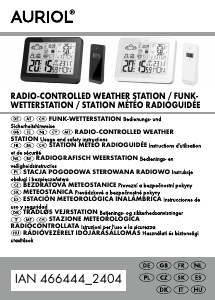
Brugsanvisning Auriol IAN 61430 Vejrstation

Relaterede produkter

Relaterede kategorier

×
Download